
El carrito está vacío


 Material de oficina
 Libros
 Aprendizaje y educación
 Útiles escolares


AI Media Generation - Advanced Short Video
 AI Media Generation - Advanced Short Video
Use Advanced Short Video when you want one controlled short video for a product, banner, social post, or listing asset.
Before you start: A positive seller balance is required. For product videos, select the exact product first.
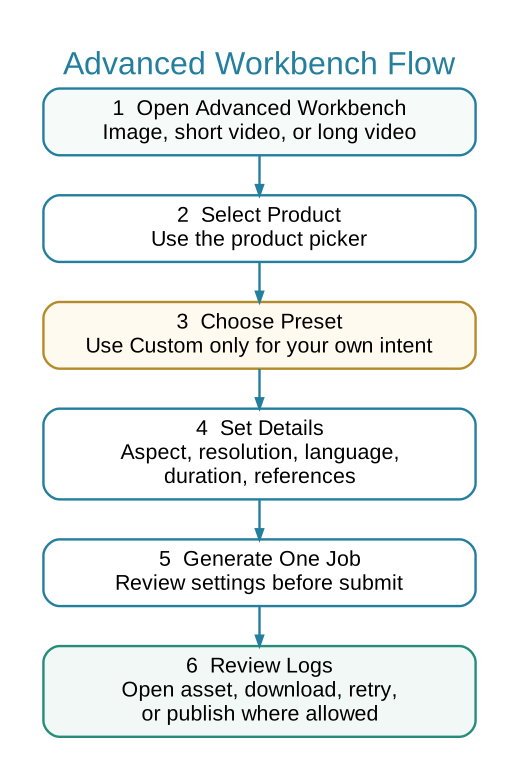
 Advanced Workbench Flow
 When to Use Advanced Short Video
- You need a single short video with controlled settings.
- You need a vertical, square, or horizontal output for a specific channel.
- You want to use product image reference deliberately.
- You want to test one video before running a batch.
 Steps
Steps
- Open Marketing > AI Media > Advanced Short Video.
- Select the product or relevant banner/video preset.
- Choose preset or Custom intent.
- Pick aspect ratio and resolution that match the final use.
- Use product reference only when product identity must be preserved.
- Generate the job and monitor it in Media Job Logs.
- Download and review the video before publishing anywhere.
 Quality Checks
- Product looks like the selected product.
- No unwanted text, labels, or logos are generated.
- Audio, if used, sounds natural and matches the script.
- Video format matches the intended placement.