
Panier vide


 Fournitures de bureau
 Livres
 Apprentissage et éducation
 Fournitures scolaires


AI Media Generation - Batch Images
 AI Media Generation - Batch Images
Use Batch Images when you want to generate image assets for multiple products in one controlled run.
Before you start: Batch jobs check balance before each media run. Add enough funds for the full batch.
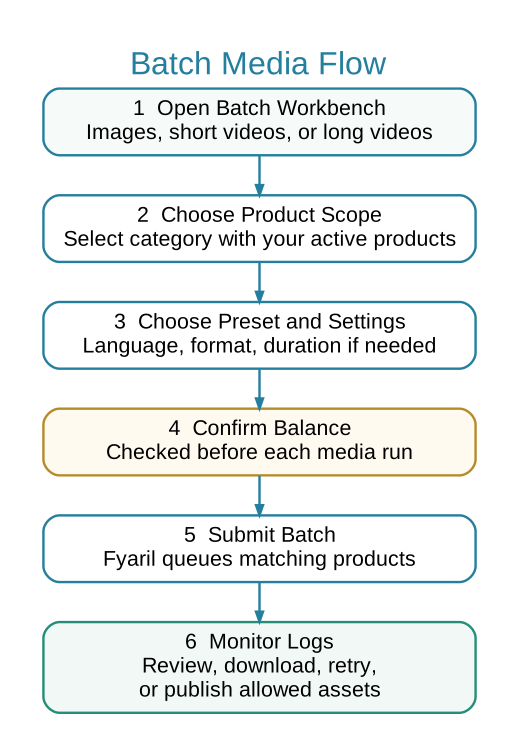
 Batch Media Flow
 When to Use Batch Images
- You want images for many products in one category.
- You want consistent image style across a set of products.
- You have enough balance for multiple image jobs.
 Steps
Steps
- Open Marketing > AI Media > Batch Images.
- Select a category that contains your active products.
- Choose image preset, language, aspect ratio, and resolution.
- Review the estimated scope before submitting.
- Submit the batch and monitor Media Job Logs.
- Download or attach only the images that pass your quality review.
 Avoid
Avoid
- Running a large batch before testing one product.
- Using a category that contains products not ready for media generation.
- Ignoring balance warnings before submitting.