


 Office Supplies
 Books
Books
 Learning & Education
 School Supplies


Contact Fyaril Administrator
Contacting Administrators
Use the built-in Message Center to ensure your questions are shared as quickly as possible with the right people on the Fyaril team.
Go to the Message Center
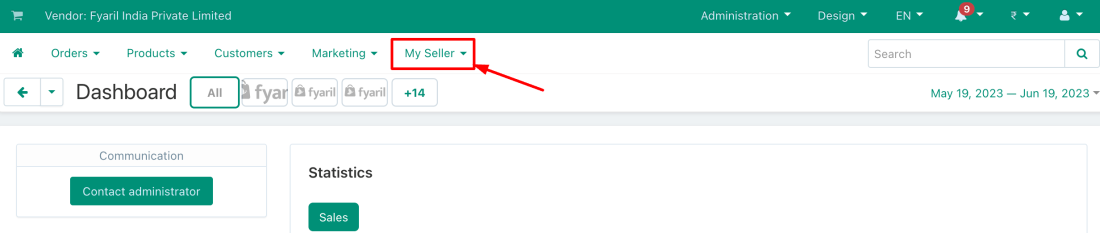
Log in to your vendor panel, click on the My Seller dropdown menu, and select Message Center.
Start a New Conversation
On the Message Center page, click the plus (+) icon in the top right corner to open the 'Contact Administrator' page.

Compose and Send
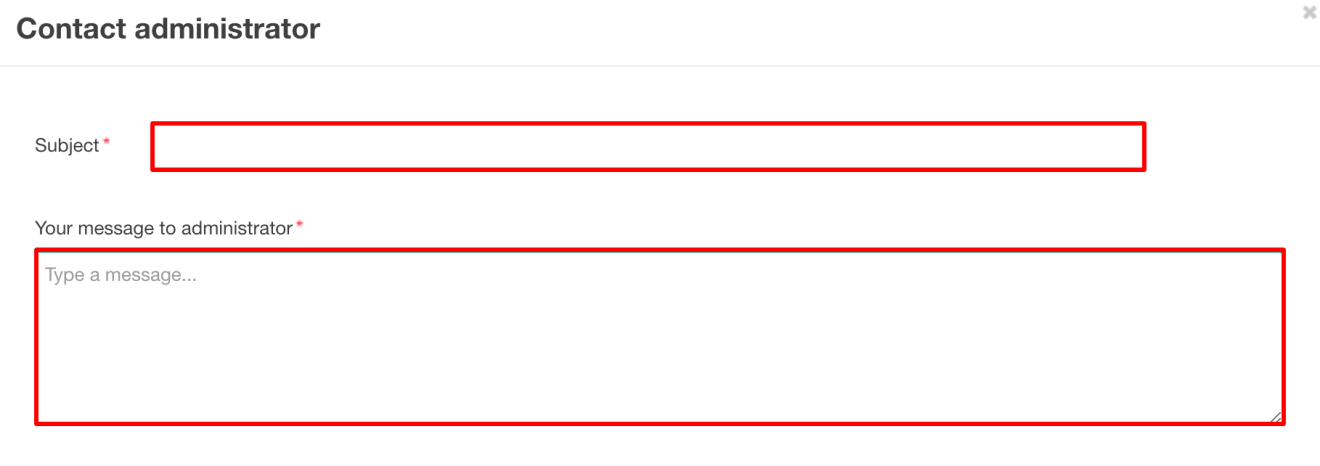
Fill in the Subject and your detailed Message. When you are finished, click the Send button to submit your query to the Fyaril team.
Alternative Contact Method
If you have any additional queries or cannot access the Message Center, you can always email us directly at sellers@fyaril.com.