


 Office Supplies
 Books
Books
 Learning & Education
 School Supplies


How to Buy on Fyaril
How to Buy Products on Fyaril
Phase 1: Navigate to your country site
Visit www.fyaril.com, Select your country and language then click on arrow to go to your desired Private Customer regional marketplace. 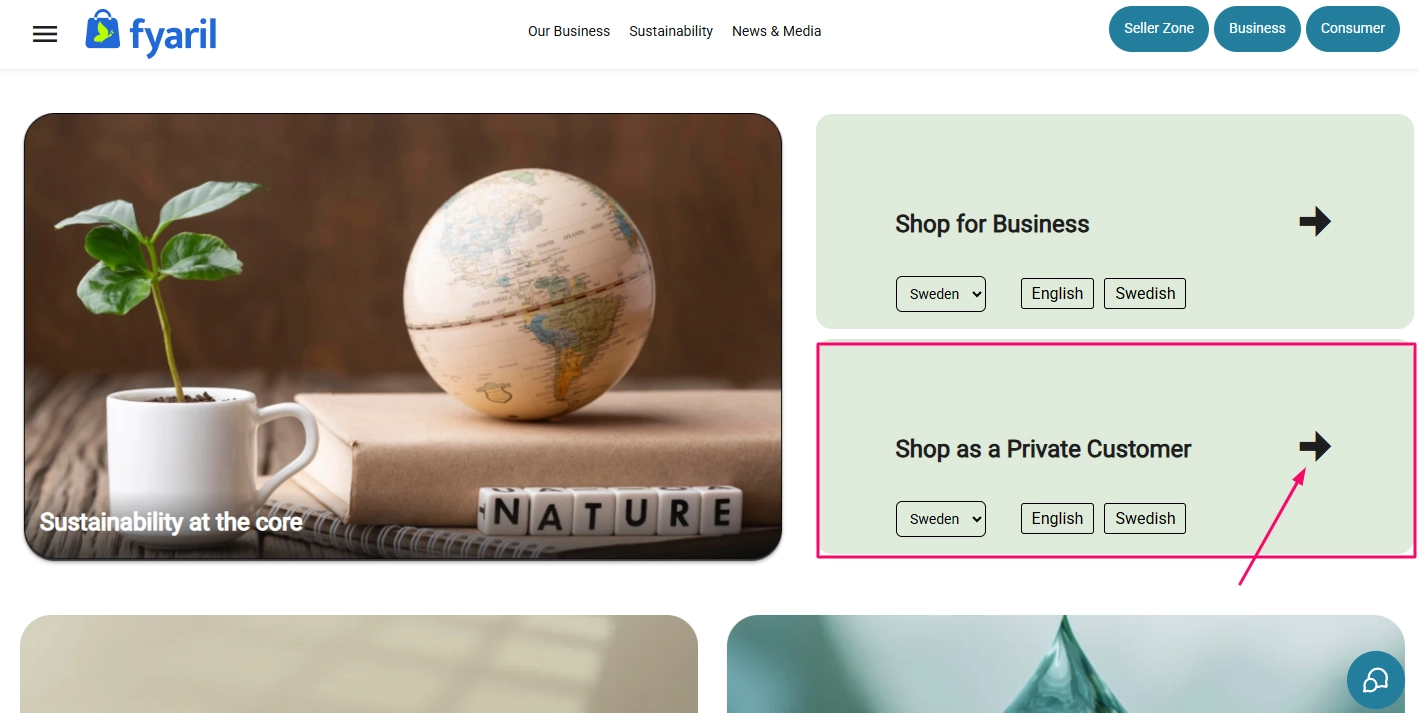
Phase 2: Finding & Ordering Products
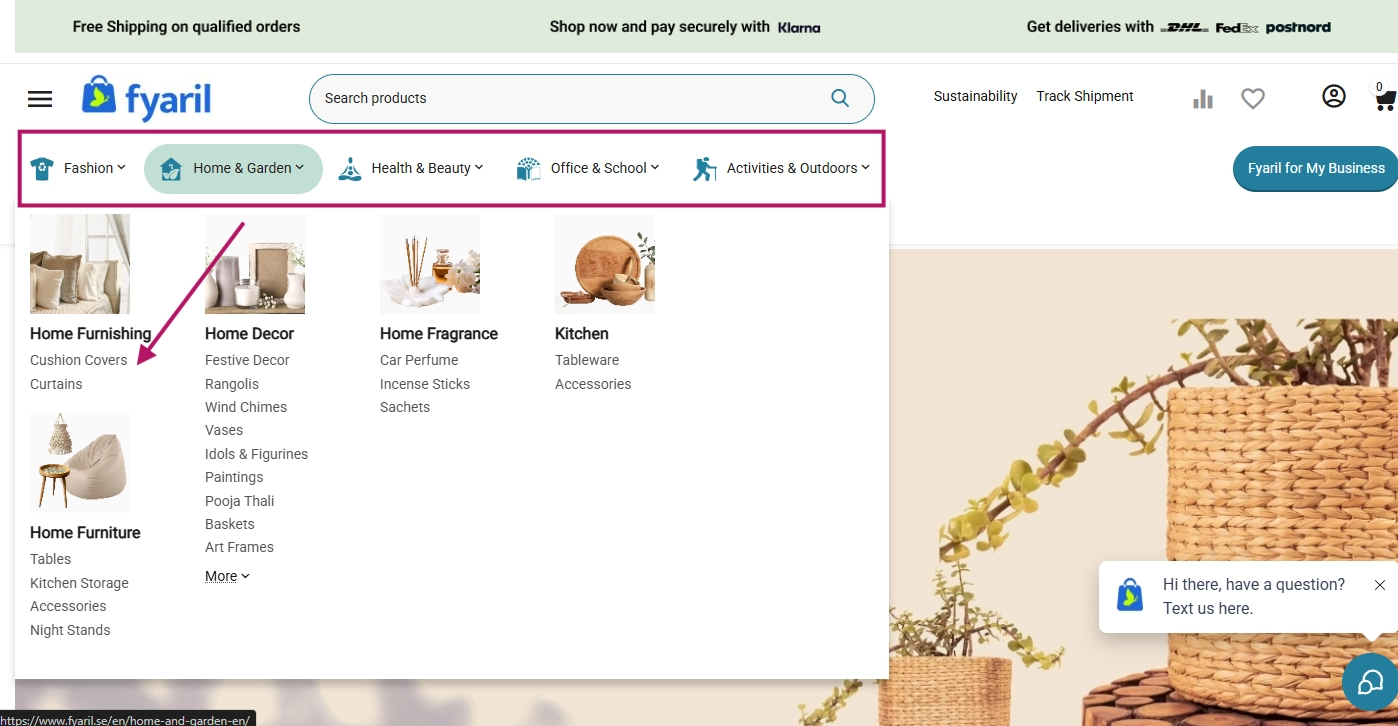
Search or Browse categories through header menu to find page of the product you love. For this example, we'll select a cushion cover.
On the product page, select your desired quantity and click Add to cart. 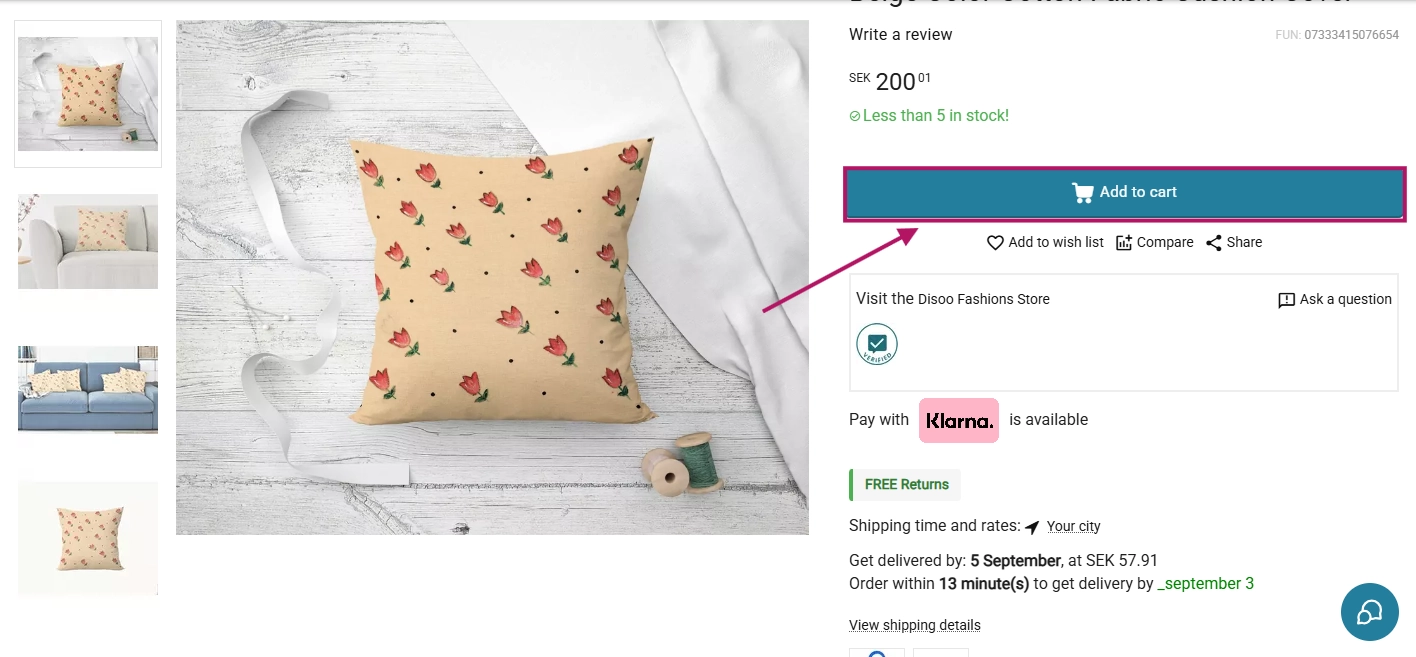
-
Then, click on your cart and select View cart.
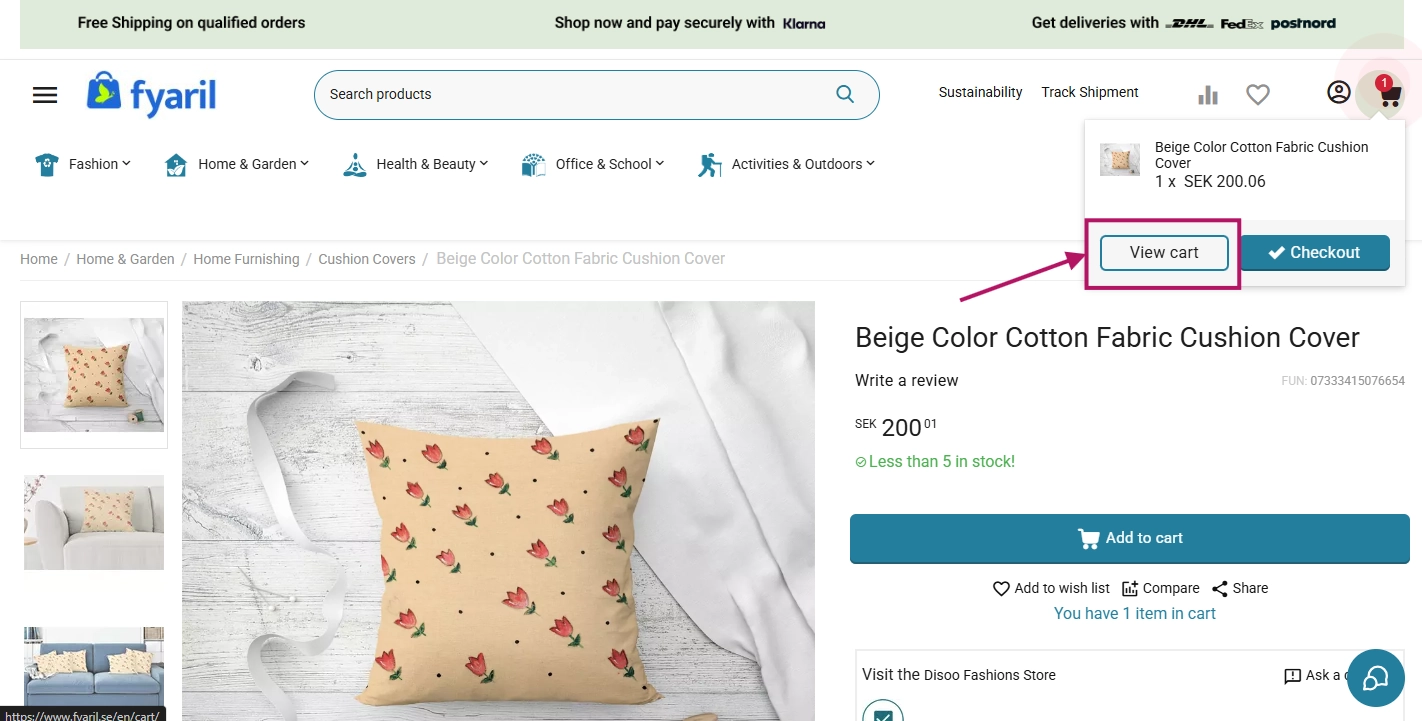
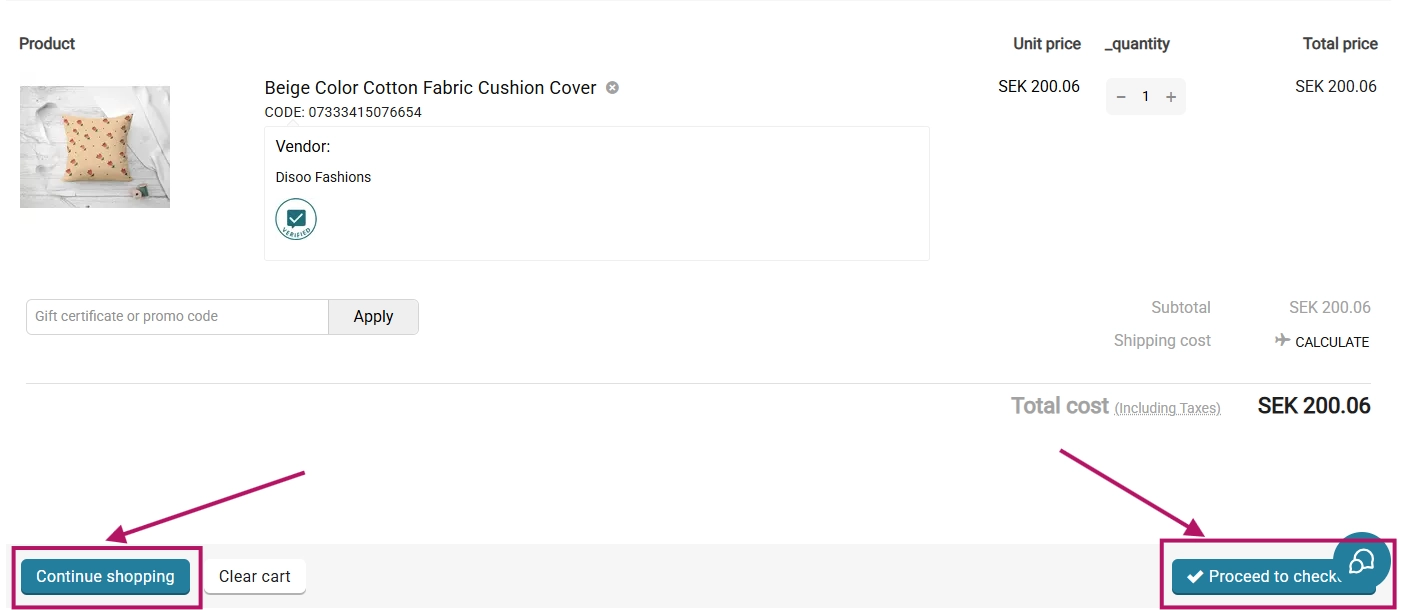
- Review your order details. You can either Continue Shopping or proceed by clicking Checkout.
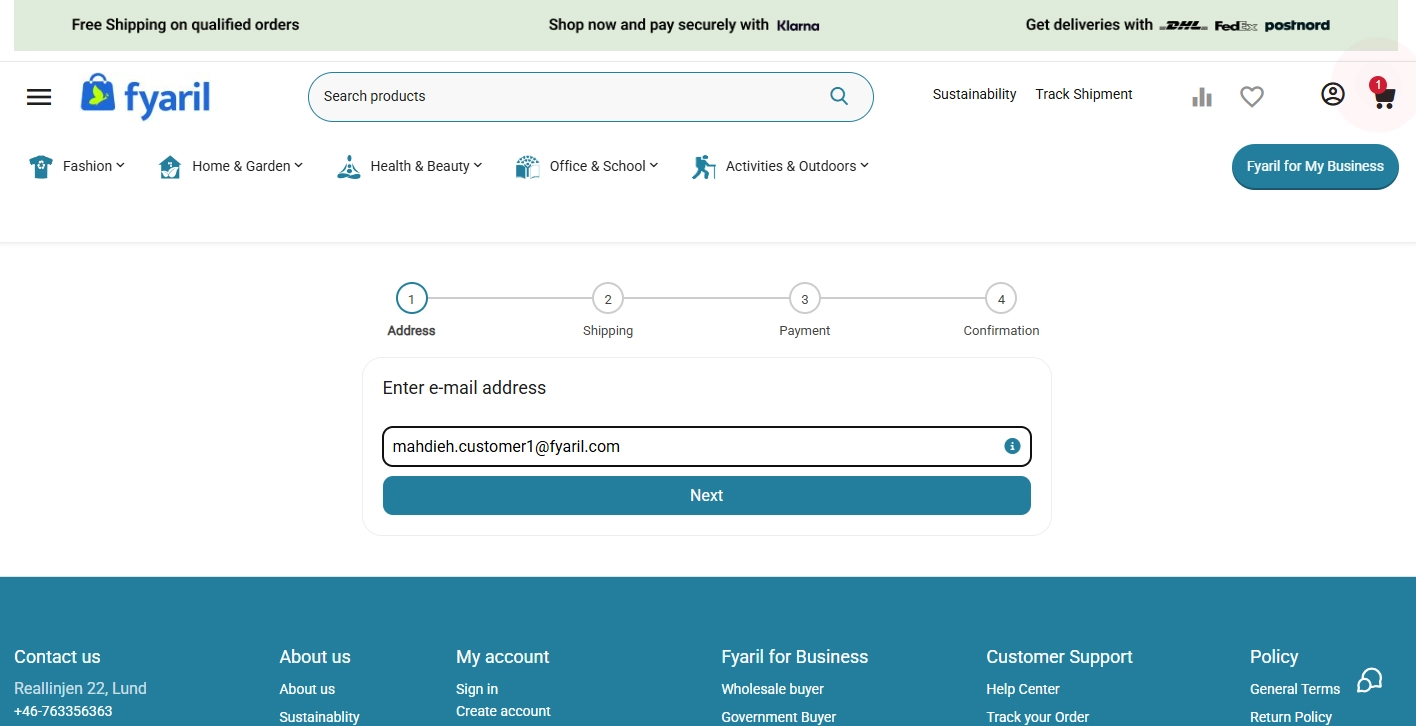
Enter your email and verify it with the OTP we send you or your password.
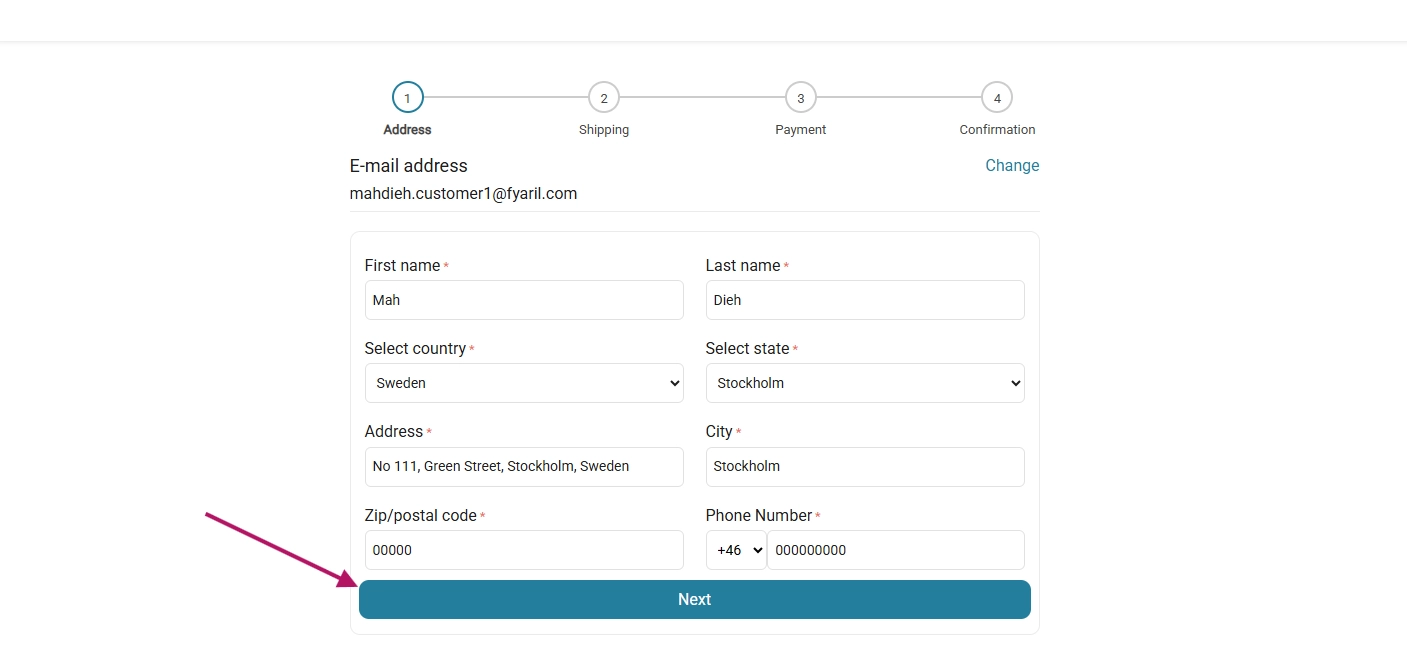
Add shipping address and click Next
Chose your preferred shipping carrier option and click Next 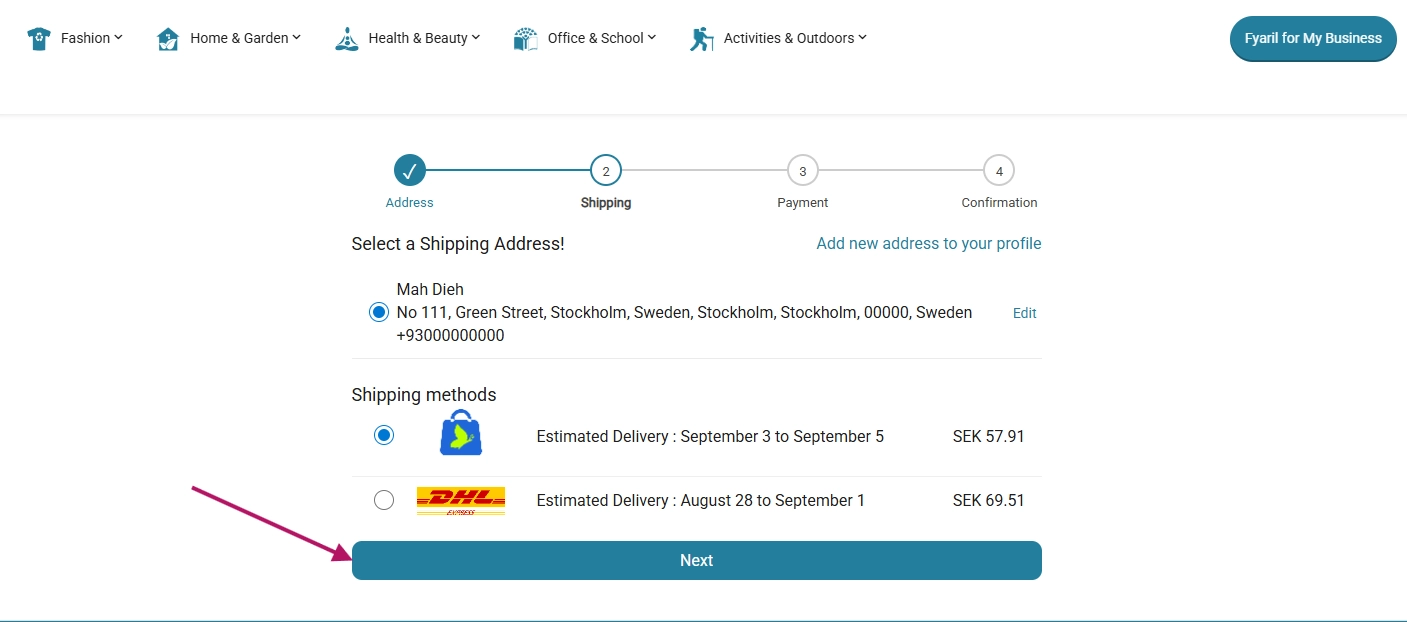
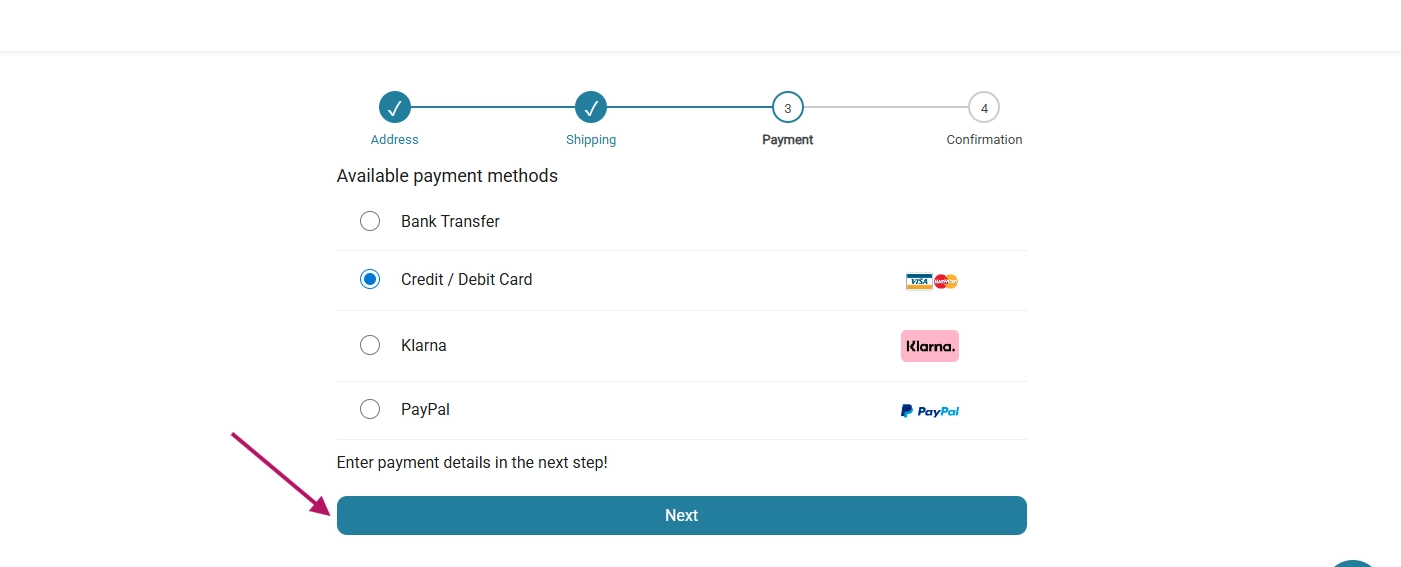
Payment: Select your preferred payment method, such as Klarna, PayPal, Credit Card, or Bank Transfer and Click Next.
Review your final order details. If you have a promo code, apply it here. Finally, click the Place Order button to confirm your purchase! 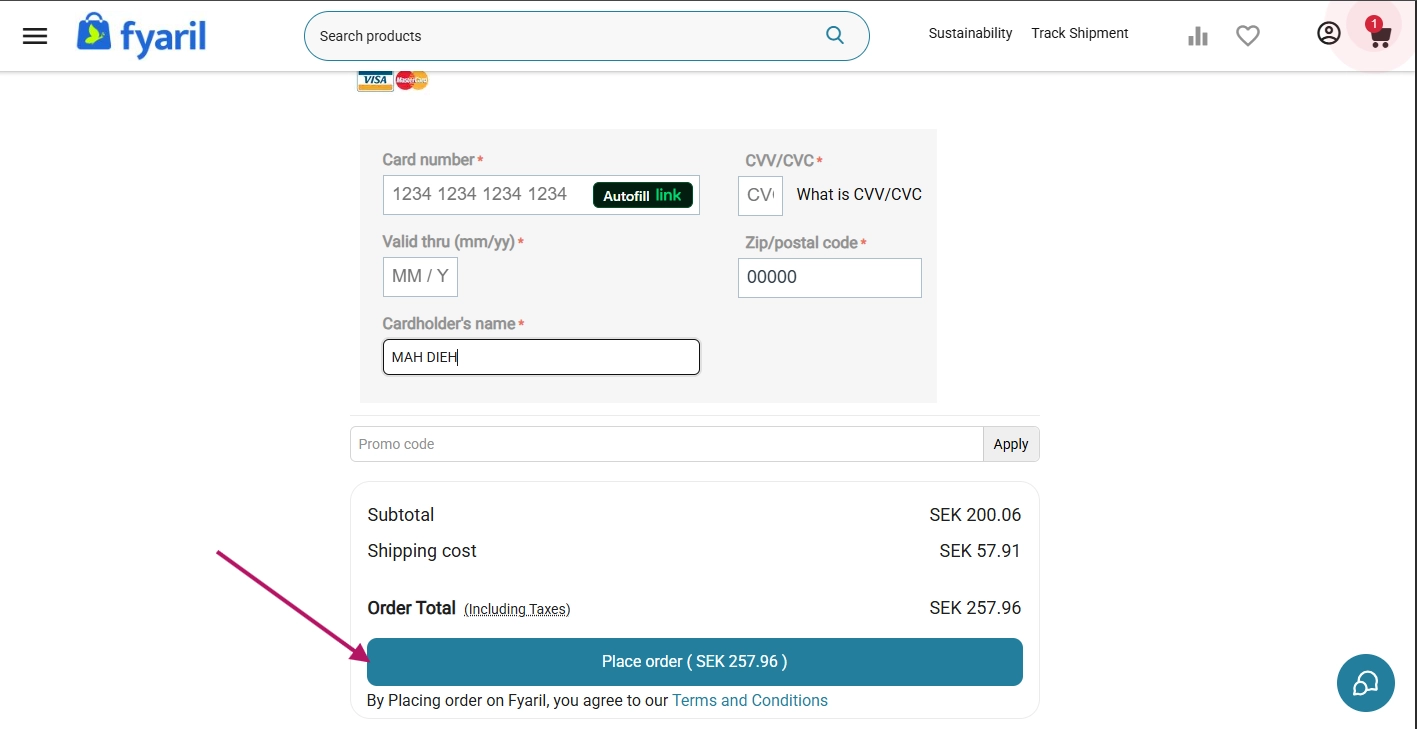
Congratulations! You have successfully placed an order. You will see confirmation and order summary. Your order will be soon on your way!