


 Office Supplies
 Books
Books
 Learning & Education
 School Supplies


Order Processing & Fulfilment Guide
Order Processing & Fulfilment Guide
On This Page
Step 1: Receiving & Processing a New Order
When a customer places an order, you will receive an email notification. You can then begin processing it in your vendor panel.
-
Login to your vendor panel and go to Orders > View orders.

-
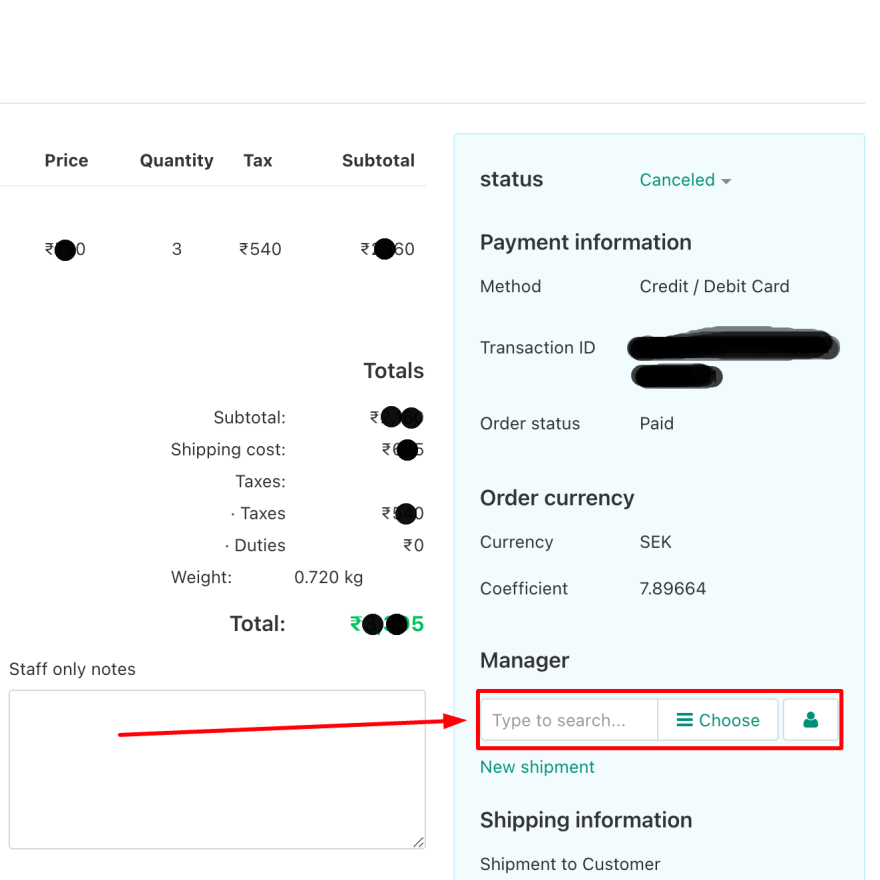
Click on the new order to see its details. Note the order currency, which may differ from your own. You can assign a Manager to be responsible for the order.
Step 2: Preparing Your Shipment
Proper packaging and documentation are crucial for successful international shipping.
Packaging
- Parcels should be packed to the minimum possible size to keep volumetric weight low. Please follow Fyaril’s official packaging guidelines.
- Parcel Contents: Ensure the following are included inside the parcel:
- Product(s) as per the order.
- The correct customer invoice (see invoicing rules below).
Required Documents
A set of documents must be handed to the courier. This list can vary but typically includes:
- Export Invoice
- Shipping Label(s)
- Manifest
- Packing Label
Invoicing Rules
The type of invoice you print depends on your seller status and fulfilment method.
- For Vendors without an "Exporter" badge (shipping to Fyaril Warehouse): You must print the 'Vendor to Fyaril India' invoice. Before printing, ensure your products are updated with the correct GST% and check the "Apply global setting" box for the concessional 0.1% GST rate.
- For Vendors with an "Exporter" badge (shipping directly to customer): You must print the customer-facing invoice. Ensure the currency matches the customer's location.
To print any invoice, go to the order details page, click on Print Documents > Invoice.
Step 3: Understanding Fulfilment Models
There are two ways customer orders can be fulfilled. Your chosen method determines the next steps.
Fulfilment by Vendor
Vendors with an "Exporter" badge can opt to manage the entire shipping process themselves, from packaging to final delivery.
Fulfilment by Fyaril
This is the default setting. You ship the packed order to a Fyaril warehouse, and Fyaril handles the international logistics.
Step 4: How to Fulfil an Order (Vendor/Exporter)
Follow these steps if you have an "Exporter" badge and are fulfilling the order yourself.
-
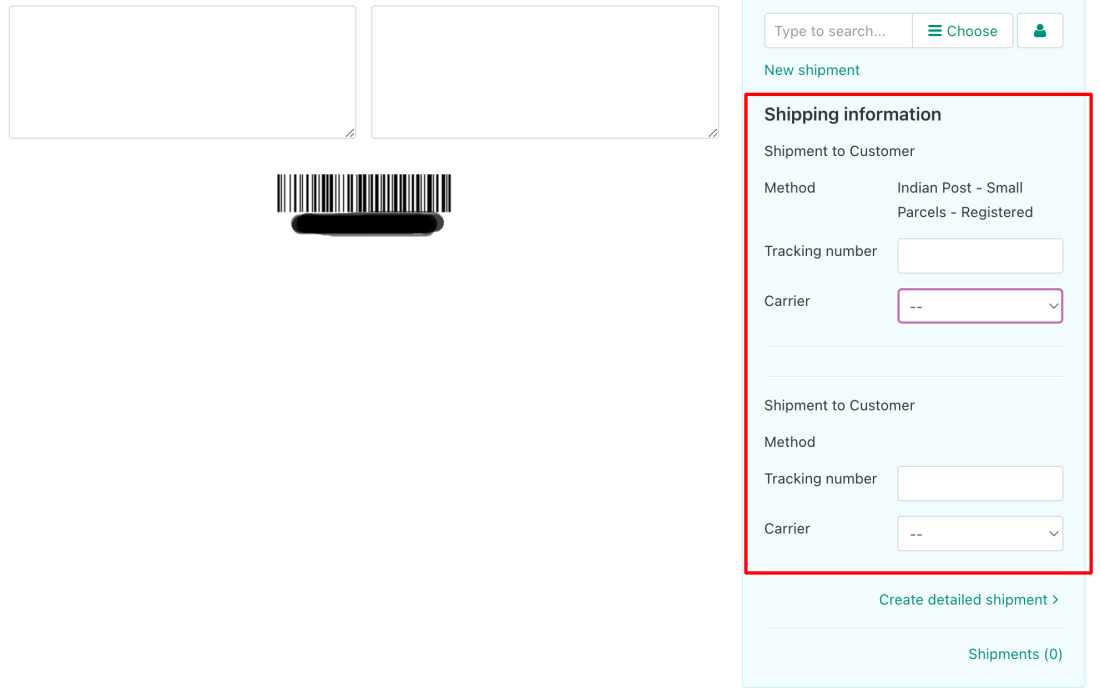
After preparing the shipment, return to the order details page. On the right side, fill in the shipping information.
-
Select the appropriate courier partner for dispatch. If your preferred carrier is not listed, please contact us.
-
Click on Create Detailed Shipment. Fill in all the required shipping details and save.
Step 5: How to Fulfil an Order (via Fyaril)
This is the default process for all vendors without an "Exporter" badge.
-
Prepare your shipment according to the guidelines in Step 2. Remember to include the 'Vendor to Fyaril India' invoice inside the parcel.
-
Ship the packed parcel to the designated Fyaril warehouse (Pune or Mumbai).
-
Fyaril manages the rest of the fulfilment process. Once the order is successfully delivered to the end customer, you can opt for payment withdrawal.
Have Additional Questions?
If you have any queries, don't hesitate to get in touch with us through My seller > Message Center, or you can email us at sellers@fyaril.com.