


 Office Supplies
 Books
Books
 Learning & Education
 School Supplies


Order Handling
Order Status, cancellation & Modifications
How to Check Your Order Status
-
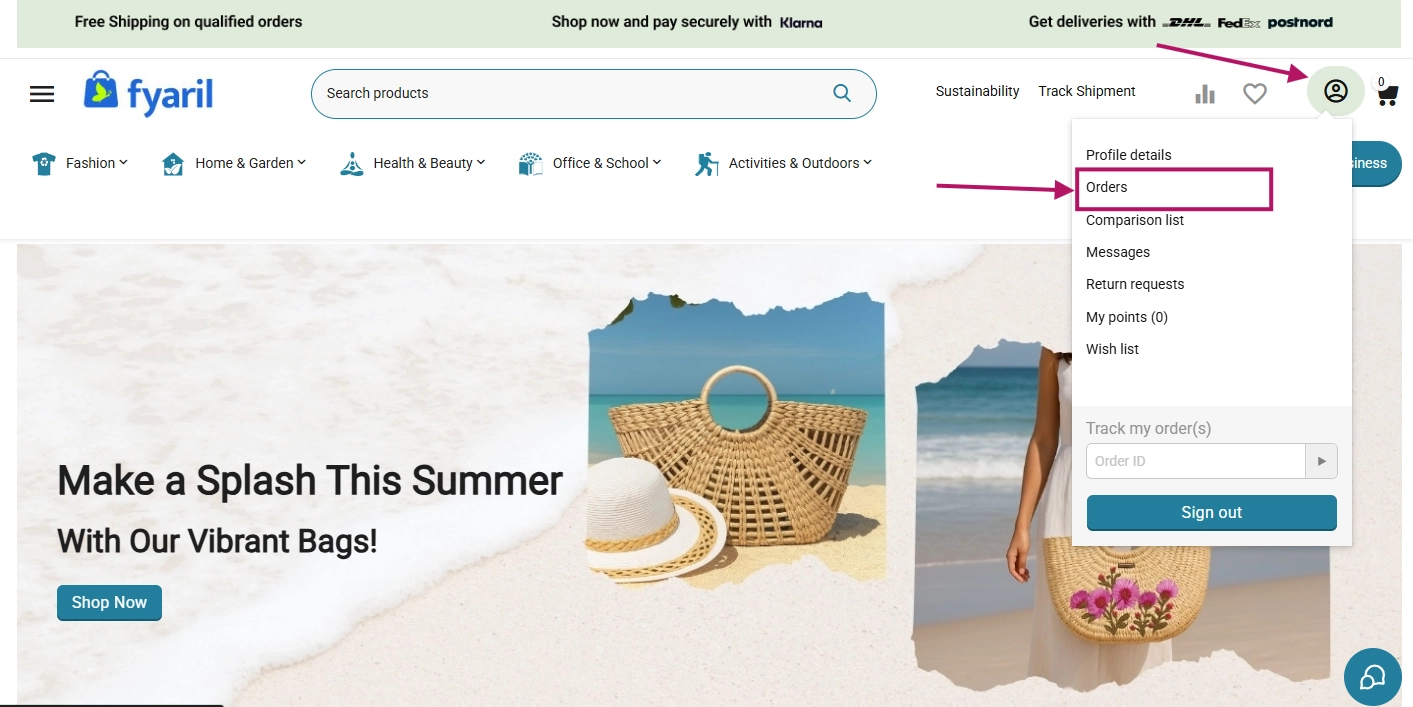
Log in and navigate to "My Orders". Go to "My Account" in the top menu and select "Orders" from the dropdown.
-
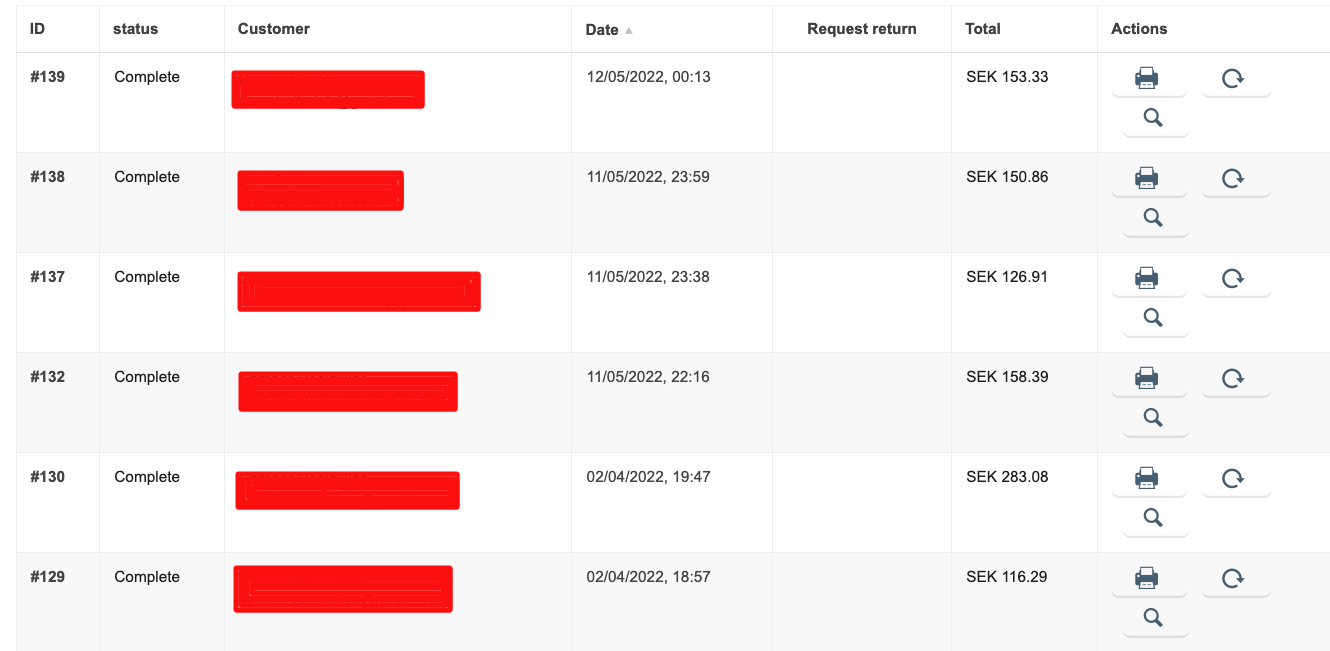
View your order history. All of your past and current orders will be displayed in a table, along with their current status.
Frequently Asked Questions
How do I track my shipment?
Once your order has shipped, you can track it using our website's Track Shipment page.
How do I cancel an order?
You can cancel an order as long as it has not yet been shipped. Go to the "My Orders" section, select the order you wish to cancel, and click the "Cancel Order" button.
Can I change my shipping address?
Yes, but only before your order has been processed and packed. You can find the "Change Address" option for eligible orders in the "My Orders" section.