


 Office Supplies
 Books
Books
 Learning & Education
 School Supplies


Payment withdrawal
How to Withdraw Payments
-
Log in to your Fyaril Vendor Panel.
-
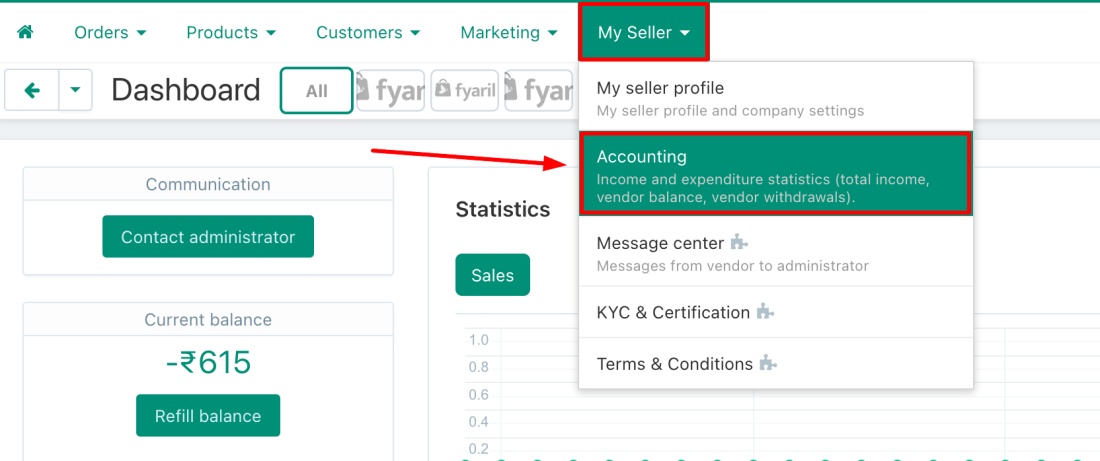
Navigate to My Seller > Accounting. This page displays your transaction details and is where you can request to withdraw payments.
-
Request Your Withdrawal.Match the Invoice Amount Exactly!
The amount you request to withdraw must exactly match the total amount on your 'India Vendor to Fyaril India' invoice. If the amounts do not match, the withdrawal request will be rejected, and you will need to submit a new one.
-
Await Payment. Once your withdrawal request is placed and approved, the payment will be credited to your bank account as soon as the associated order becomes qualified for payout.
Have Additional Questions?
If you have any queries, don't hesitate to get in touch with us through My seller > Message Center, or you can email us at sellers@fyaril.com.