


 Office Supplies
 Books
Books
 Learning & Education
 School Supplies


Improve Product Image using AI.
Improve Product Image using AI.
This guide explains how sellers can use the AI image buttons beside the product image picker to improve listing images without leaving the product page.
Balance rule: AI image generation requires a positive seller statement closing balance. If your balance is zero or negative, add funds before starting the job.
Where to find it
- Log in to the Fyaril Vendor Panel.
- Open Products > My Listings or an existing product update page.
- Open the product details section and go to the image picker.
- Use one of the AI image buttons shown near the main product image picker.
Screenshot: AI image improvement options
The highlighted buttons are the AI image improvement options inside the product image picker. Use Improve my image, Add lifestyle image, or With model or prop depending on the image you want to create.
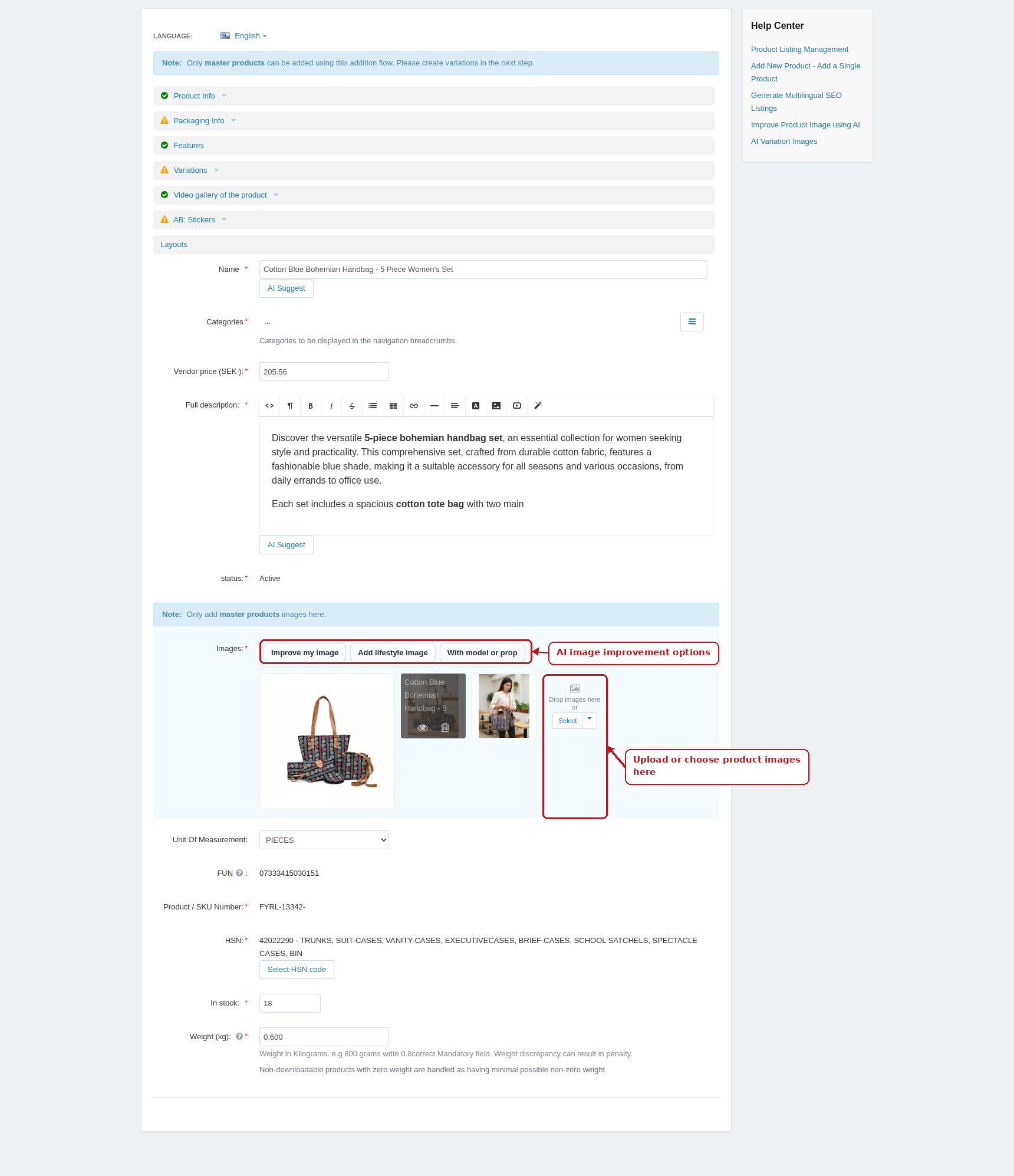
Available AI image actions
- Improve my image: uses the primary product image as reference and creates a cleaner high-quality listing image.
- Add lifestyle image: creates a lifestyle-style product image for richer product presentation.
- With model or prop: shows the product in a realistic use scenario with a model, hand, room, tabletop, or relevant prop where appropriate.
What happens after clicking
- Fyaril creates an AI media job for the selected product.
- The product image is used as the reference where available.
- The generated image is saved back to the product images when the job completes.
- The image filename is based on the product name.
- The image alt text is set to the product name for better accessibility and SEO.
Best practice
- Use a clear primary image before asking AI to improve or extend it.
- Check the generated image after completion before using it in campaigns.
- Do not use AI output if it changes the product shape, color, material, logo, packaging, or important details.